Verify Captured Objects on Web Page
Q
How to verify captured objects on Web pages? I want make sure those objects are captured correctly.
✍: FYIcenter.com
A
 You can follow this tutorial to verify captured objects on Web pages.
1. Open the Web page in the Google Chrome browser.
2. Open the local object repository of Action 1 in UFT.
3. Locate an object in the Test Objects tree.
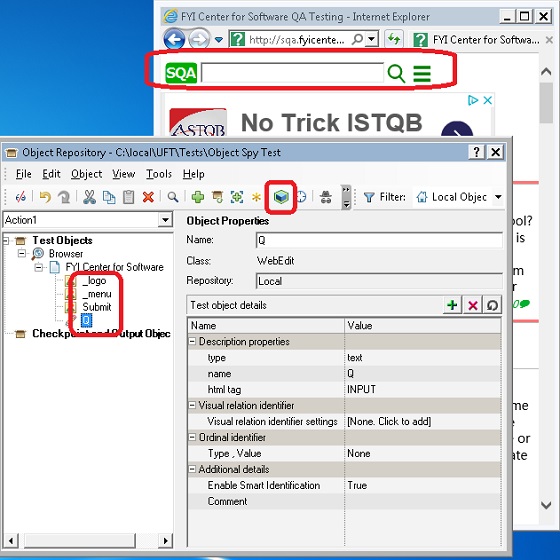
4. Click the "Object" icon, UFT will highlight the matched object on the page.
5. Repeat this process for all objects on all Web pages.
The following picture shows you how to Verify Captured Object on Web Page:
⇒ Test Script Coding with Web Page Objects
2018-05-19, ∼3018🔥, 0💬
Related Topics:
