Types of Messages
Test RealTime - User Guide
by adding "Subject" and "Observer" classifier roles and then adding an "Update"
message between them.
Shape
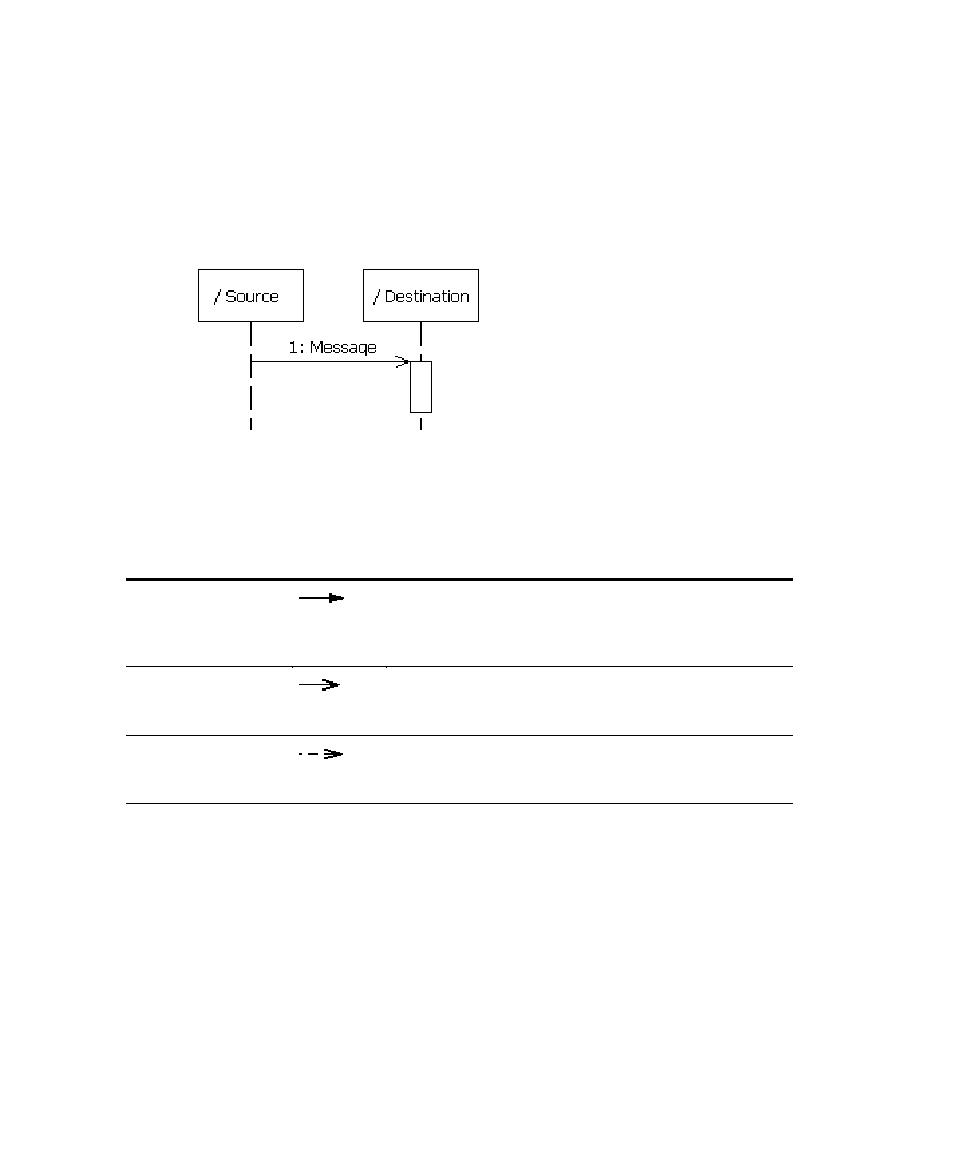
A message appears as a line with an arrow. The direction of the arrow indicates the
direction in which the message is sent. In a sequence diagram, messages usually
connect two classifier role lifelines.
Message shapes can be adorned with names and sequence numbers.
Types of Messages
Different types of messages can be used to model different flows of control.
Type
Shape
Description
Procedure Call or
Nested Flow of
Control
Models either a call to an operation or a call to a nested
flow of control. When calling a nested flow of control,
the system waits for the nested flow of control to
complete before continuing with the outer flow.
Asynchronous Flow of
Control
Models an asynchronous message between two objects.
The source object sends the message and immediately
continues with the next step.
Return From a
Procedure Call
Models a return from a call to a procedure. This type of
message can be omitted from diagrams because it is
assumed that every call has a return.
Using Messages
Messages can appear in a sequence diagram to represent the communications
exchanged between classifier roles during dynamic interactions.
Note Both messages and stimuli are supported. Stimuli are added to
collaboration instances, and messages are added to collaborations. For details
about stimuli, see Stimuli.
The messages in a model are usually contained in collaborations and usually appear
in sequence diagrams.
14
