Determine the appearance and order of the fields
Lesson 6 · Analyzing the Testing Process
Under Users, select your TestDirector login user name (alice_td, cecil_td, or
michael_td). Click OK to close the Select Filter Condition dialog box.
Click OK to close the Filter dialog box.
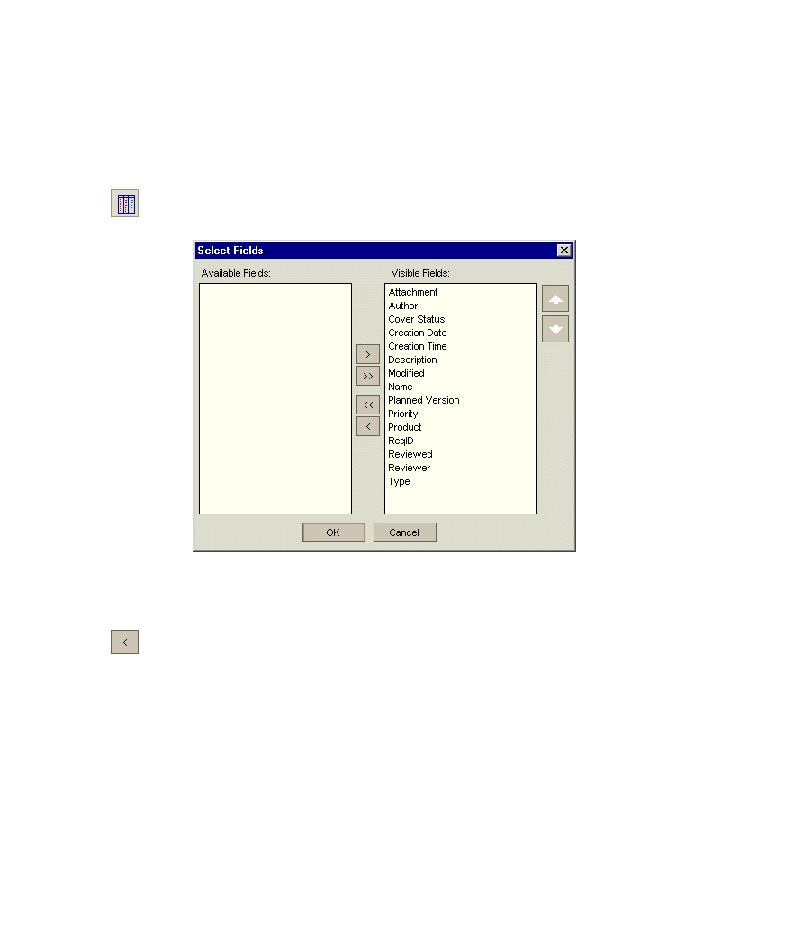
8 Determine the appearance and order of the fields.
Select Custom Fields (layout) and click the Select Fields button. The Select
Fields dialog box opens.
The Available Fields box lists fields not currently displayed. The Visible
Fields box lists fields currently displayed.
In Visible Fields, select Attachment and click the left arrow button to move
the field to Available Fields. Move Creation Time and Modified to Available
Fields.
97
